to

Convert Your 3D Mesh/Model ITSX Files to 3DS

Our free and fast tool will convert your 3D ITSX (ImageToSTL.com Project) model files to a standard 3DS (3D Studio Mesh) file that can then be edited further in most popular 3D editing packages or 3D printed without any further processing. Our conversion tool can also batch convert multiple ITSX files; up to 200 files at a time can be converted.

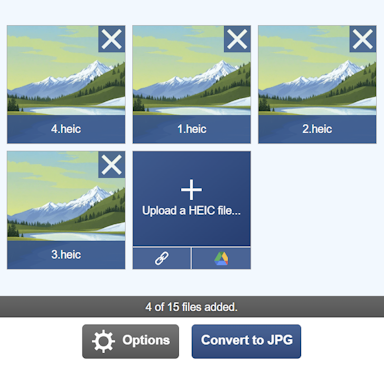
To convert your ITSX file, click the Upload button above and select the file to convert. Once selected, the file will be converted to a 3DS file and will be ready for download shortly afterwards. For more information about the ITSX to 3DS conversion process, see the conversion information section below.

How to Convert your ITSX to 3DS Online?

Here are two simple steps to convert your ITSX to 3DS.

Upload a ITSX File

Click the "Upload a ITSX File" button and select a ITSX to upload. The maximum file size is 500MB.

Download your 3DS File

Click the download link once completed to receive your 3DS file.

File Format Information for ITSX to 3DS

ExtensionITSX
Full NameImageToSTL.com Project
Type3D Model
Mime Typeapplication/octet-stream
FormatBinary
ToolsITSX Converters, 3D Model Voxelizer, Create ITSX Animation, ITSX Viewer

Description

The ITSX file format is a 3D file format used to store simple 2D image data in a way that allows it to be represented in 3D space. It is the native format of the ImageToSTL.com Image to 3D Model tool and was devised as a means to allow users to create and store 3D models from a simple image either through the extrude or height map processes.

An ITSX file consists of a main data file containing the position, rotation, and scale of the 2D object that is to be projected into 3D space. Along with the data file is the uploaded image file, and all these files are packed into a ZIP container with the ITSX file extension.

Extension3DS
Full Name3D Studio Mesh
Type3D Model
Mime Typeapplication/octet-stream
FormatBinary
Tools3DS Converters, 3D Model Voxelizer, Create 3DS Animation, 3DS Asset Extractor, Text to 3DS, 3DS Viewer
Open WithMeshLab

Description

The 3DS format has been a standard 3D format for many years. It has been the native file format for Autodesk's 3D Studio since the days of Microsoft's MS DOS. The age of the format began to show its limitations many years ago and was replaced by Autodesk when 3D Studio Max was launched.

There are, however, still many 3D model files circulating in the 3DS format, and these can be easily converted using our 3DS conversion tools. Some of the limitations of the 3DS file format include: texture names are limited to DOS 8.3 filenames; the maximum number of vertices allowed in the 3D mesh is capped at 65536; and there is no support for directional lighting.

Comparing ITSX and 3DS Features


ITSX Features

  • Mesh Geometry (Vertices and Faces)
  • Vertex Normals
  • Face Normals
  • Vertex Colors
  • Face Materials (Excluding textures)
  • Textures
  • Point Cloud
  • Multiple Objects Per File
  • Object Transforms (Translation, Rotation, and Scale)
  • Bones/Joints
  • Animations
  • Suitable for 3D Printing

3DS Features

  • Mesh Geometry (Vertices and Faces)
  • Vertex Normals
  • Face Normals
  • Vertex Colors
  • Face Materials (Excluding textures)
  • Textures
  • Point Cloud
  • Multiple Objects Per File
  • Object Transforms (Translation, Rotation, and Scale)
  • Bones/Joints
  • Animations
  • Suitable for 3D Printing

How does it work?

Converting from the ITSX file format to 3DS can be a complex process, and any tool used for this conversion process needs to be able to handle a variety of data conversion tasks as well as identify any defects within the 3D model and fix them. Here we will explain the conversion process used by our tool to accurately convert your ITSX file to a valid 3DS 3D model. Let's start with the conversion process, which involves the following steps:

Step 1: Read the Source ITSX File

In its simplest form, an ITSX file is a binary data file containing 3D data such as vertices, faces, normals, and more. When combined, these make up the 3D model you see on your screen.

For more information regarding the ITSX file format, please see this great article that goes into a lot of detail explaining the ITSX format.

Step 2: Process File Data

With the ITSX file data read, our tool generates an internal representation of the full 3D model and will attempt to fix any geometry issues encountered. Along with repairing any issues with the 3D model, the tool will remove any duplicated vertices and prepare the model for exporting to the 3DS format.

Step 3: Saving to the 3DS Format

With the conversion process entering its final stages, our tool now needs to take the in-memory 3D model we have created in step 2 and convert it to the 3DS format.

Frequently Asked Questions

How does ImageToStl.com differ from other ITSX file conversion websites?

Many 3D file conversion websites use the same off-the-shelf components to convert files, these often lack features and full ITSX file compatibility. Our bespoke file conversion tools offer full ITSX file compatibility and have been developed in-house by a team of developers, some of whom have over 30 years of experience working with 3D graphics file formats, meaning our tools will convert your ITSX file quickly and accurately with maximum compatibility.

I have several ITSX files; can I batch convert my ITSX to 3DS?

Yes! Our ITSX tool supports full batch conversions. You can upload up to 200 ITSX files at a time. Our tool will convert them all as quickly as possible. Once completed, you can either download the 3DS files individually or download them all in a single ZIP file.

How can I convert my ITSX file to 3DS?

First click the "Upload..." button, and select your ITSX file to upload. You can also drag and drop your file onto the tool. Once your file is selected, you can set any configuration options. When the ITSX to 3DS conversion has completed, you can download your 3DS file straight away.

How long does it take to convert my ITSX to 3DS?

We aim to process all ITSX to 3DS conversions as quickly as possible, this usually takes around 5 seconds but can be more for larger more complex files so please be patient.

How accurate is the ITSX to 3DS conversion?

We aim to create the most accurate conversions with our tools. Our tools are under constant development with new features and improvements being added every week.

Is it safe to convert my ITSX to 3DS on ImageToStl.com?

Yes, of course! We do not store the ITSX file you submit to us. The resulting 3DS file, once created, is stored for 4 hours after upload; after this time it is deleted, and the short-term download link will stop working. You can create a long-term download Url with most tools that will ensure the file is retained for 24 hours, allowing you to download the file when convenient. Our tools also come with a Delete button, allowing you to delete the file immediately.

Do I need a high-spec. computer to use the ITSX to 3DS converter?

No. All our conversion tools process your ITSX file on our dedicated conversion servers, meaning you can use our tools on low-spec computers, laptops, tablets, and mobile devices and receive your converted 3DS file quickly.

Can I convert my ITSX to 3DS on Windows, Linux, Android, iOS or Mac OS?

Yes! Our ITSX to 3DS tool will run on any system with a modern web browser. No specialist software is needed to run any of our conversion tools.

What if I am using an Ad Blocker, will that affect things?

Yes. Although you can use an Ad Blocker, if you like our ITSX conversion tool please consider white-listing our website. When an Ad Blocker is enabled there are some conversion limits and some settings may not be available when using our tools. Processing/conversion and download times will also be longer.

Can I get support with converting my ITSX to 3DS?

Yes. When you have converted your ITSX to 3DS, there is a "Feedback" option that you can use to let us know of any issues you encountered when converting your file.

© 2026 ImageToStl. Convert your PNG and JPG Files to 3D STL files.